
helloRecodes
[MySQL] MySQL 다운로드 및 설치 본문
1. MySQL 다운로드
MySQL
Over 2000 ISVs, OEMs, and VARs rely on MySQL as their products' embedded database to make their applications, hardware and appliances more competitive, bring them to market faster, and lower their cost of goods sold. Learn More »
www.mysql.com

상단 "DOWNLOADS"
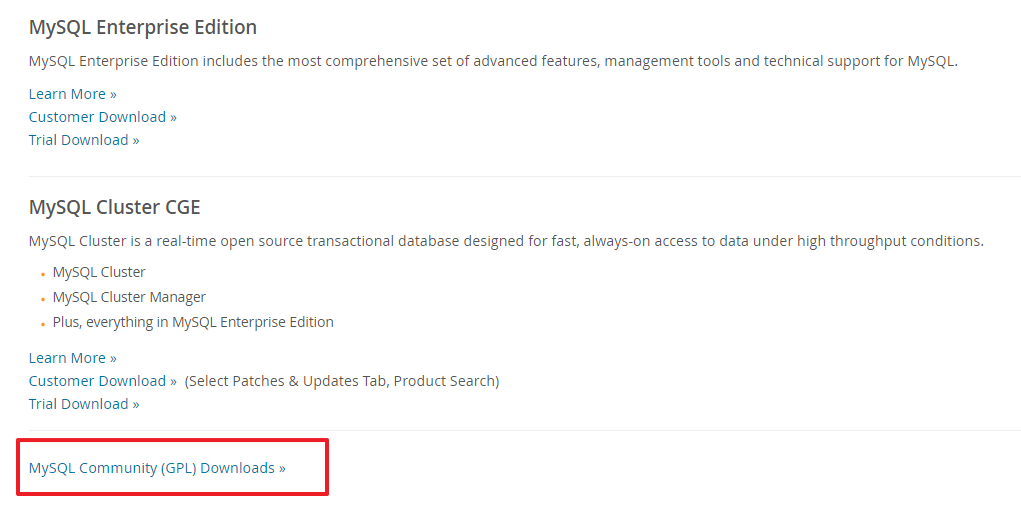
하단 "MySQL Community (GPL) Downloads"
GPL : General Public License
https://dev.mysql.com/downloads/
MySQL :: MySQL Community Downloads
The world's most popular open source database
dev.mysql.com
위의 과정 생략하고 다음 경로로 바로 접속 가능한 주소
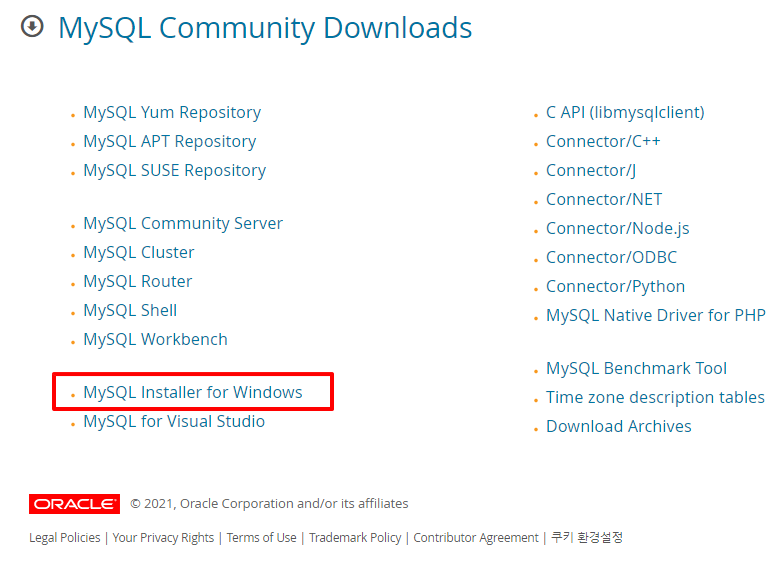
"MySQL Installer for Windows" 클릭
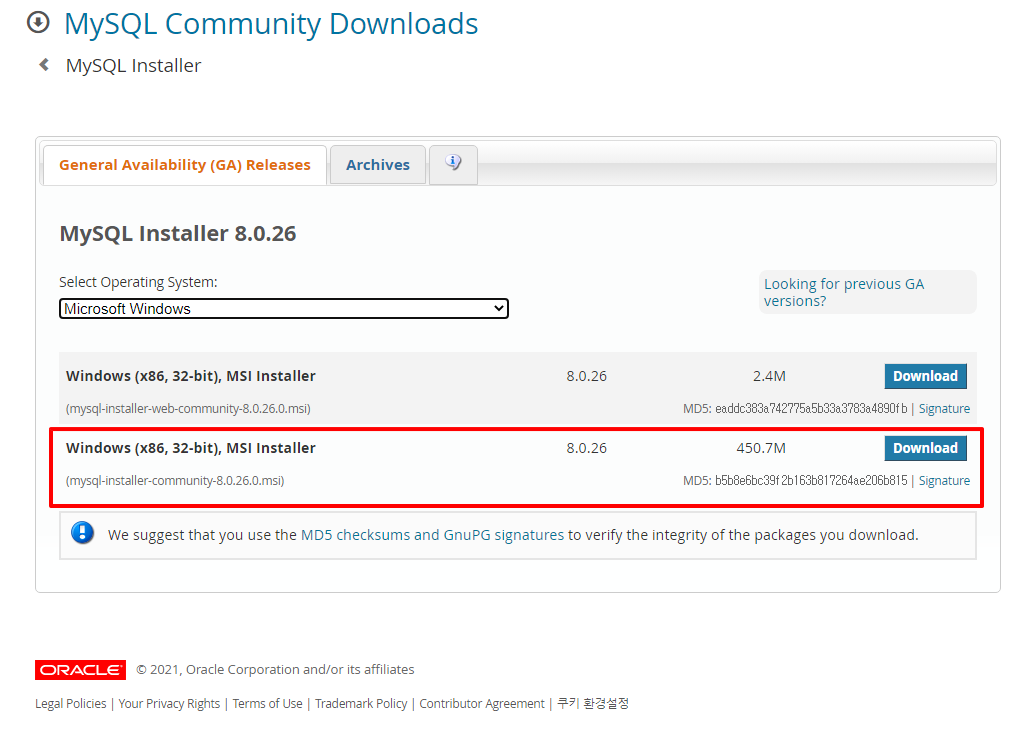
하단 용량 큰 버전 "MSI Installer" 클릭
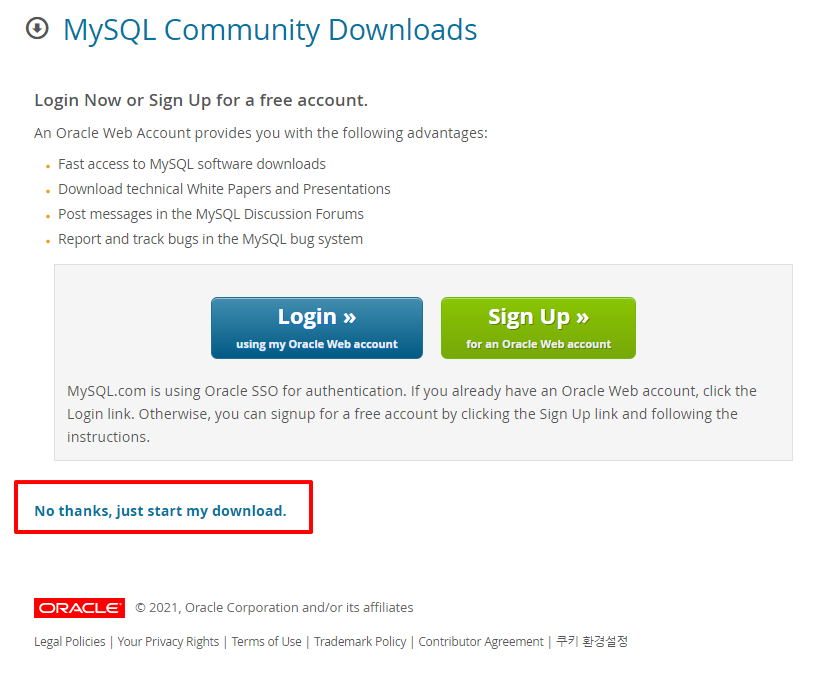
"No thanks, just start my download." 클릭 => 다운로드 시작
2. MySQL 설치

다운로드 파일 더블클릭

Developer Default > Next
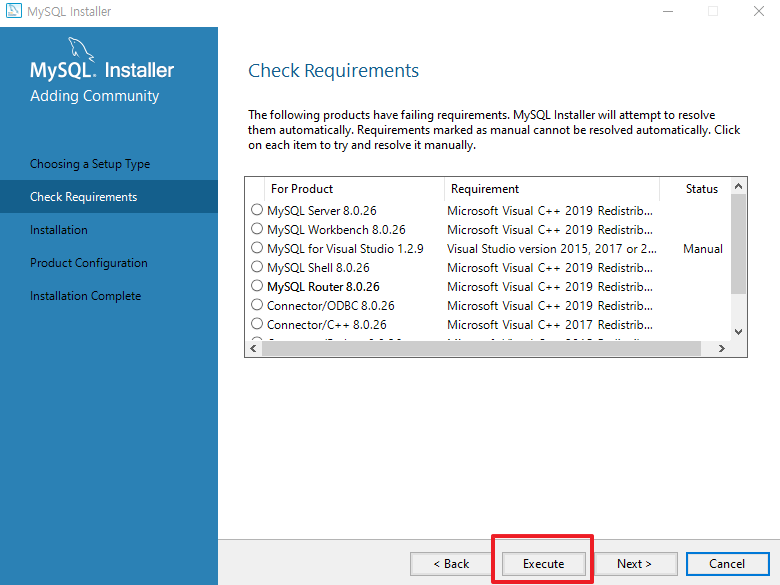
Execute
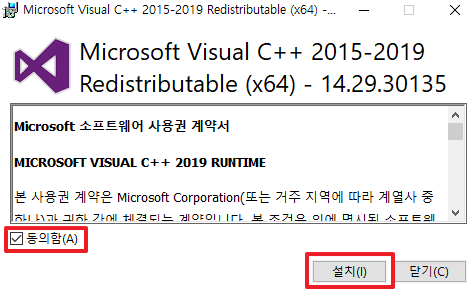
동의함 체크 > 설치
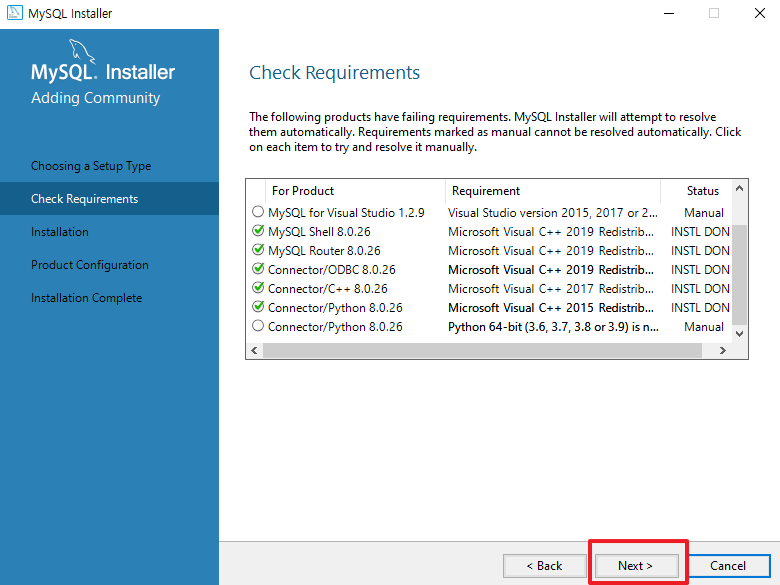
Next
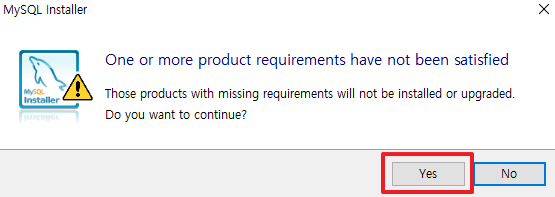
Yes
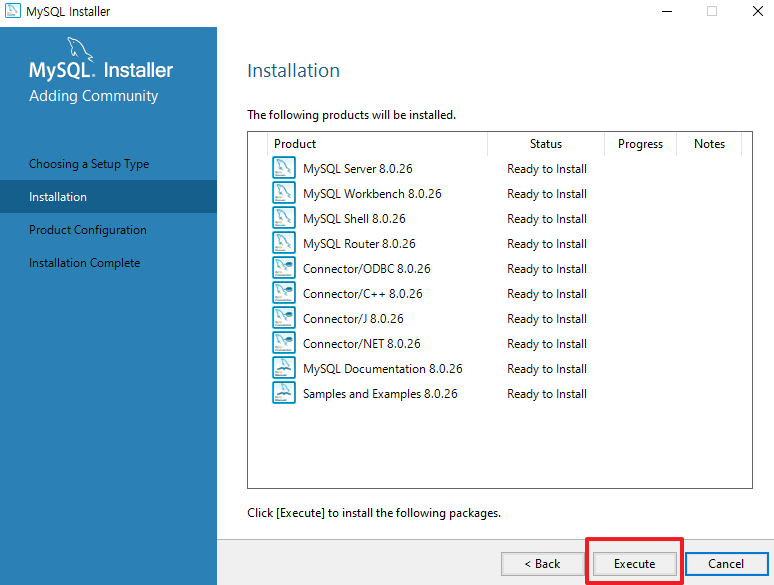
Execute
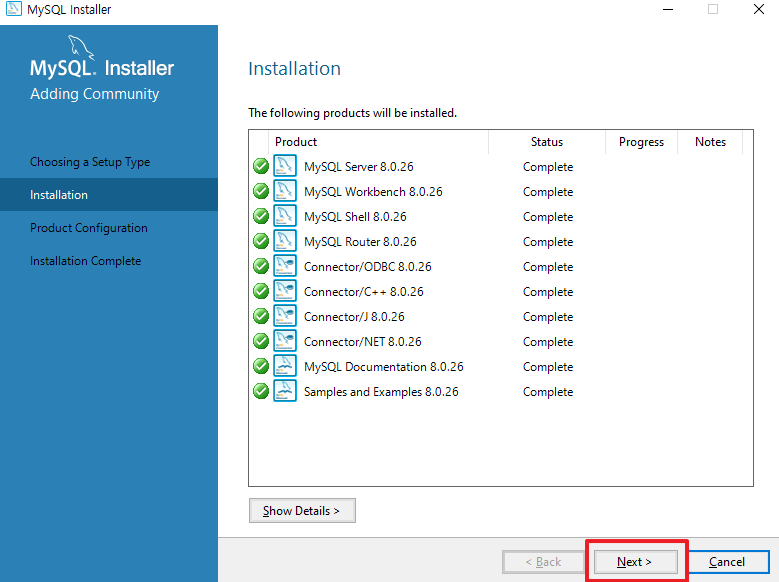
Next
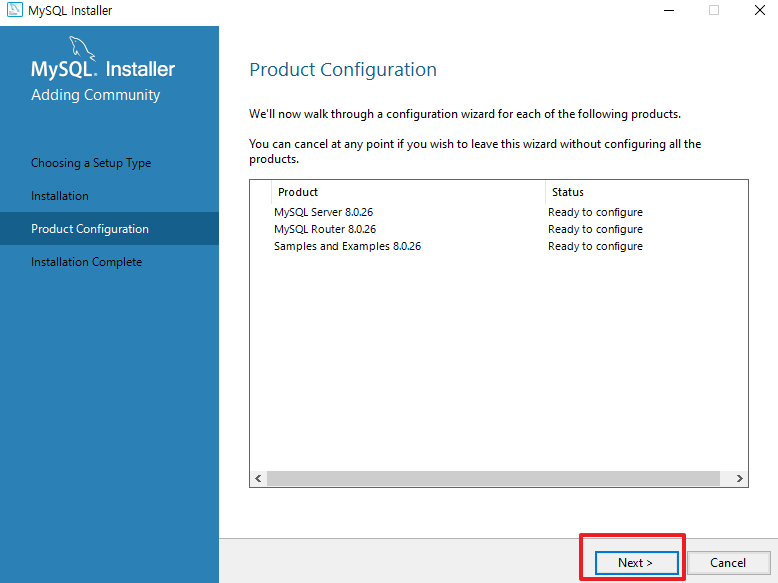
Next
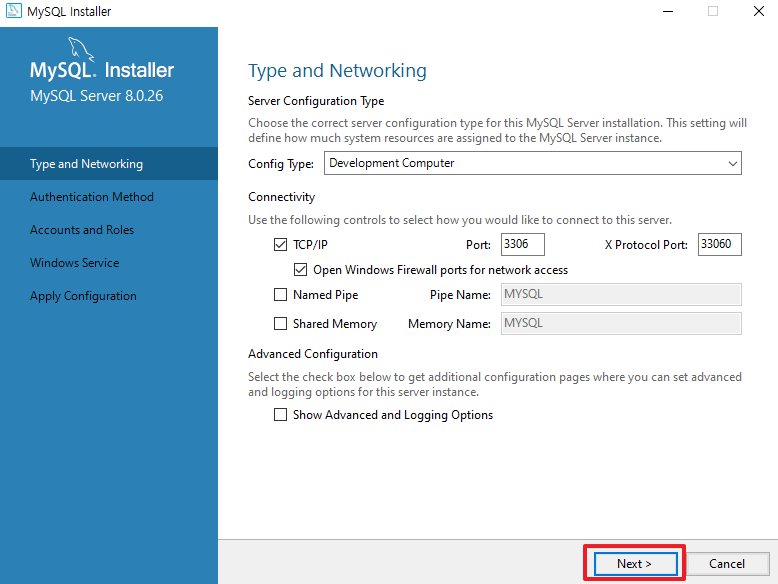
Next
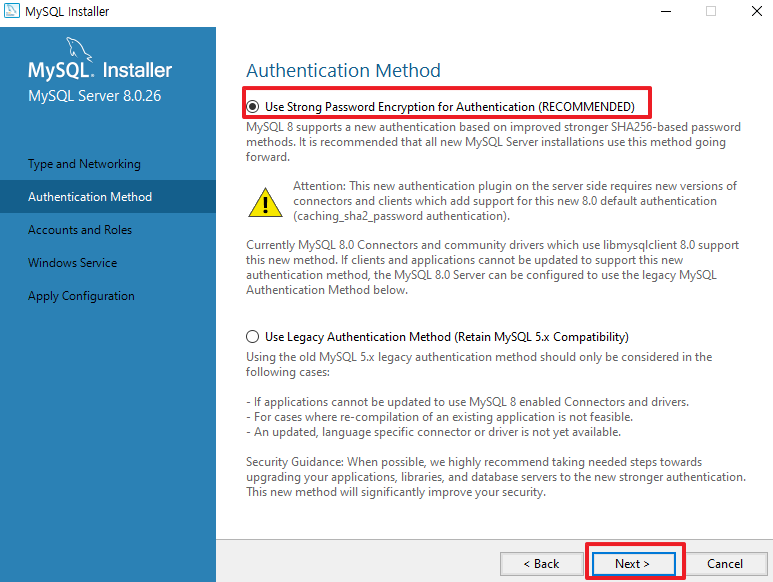
Next
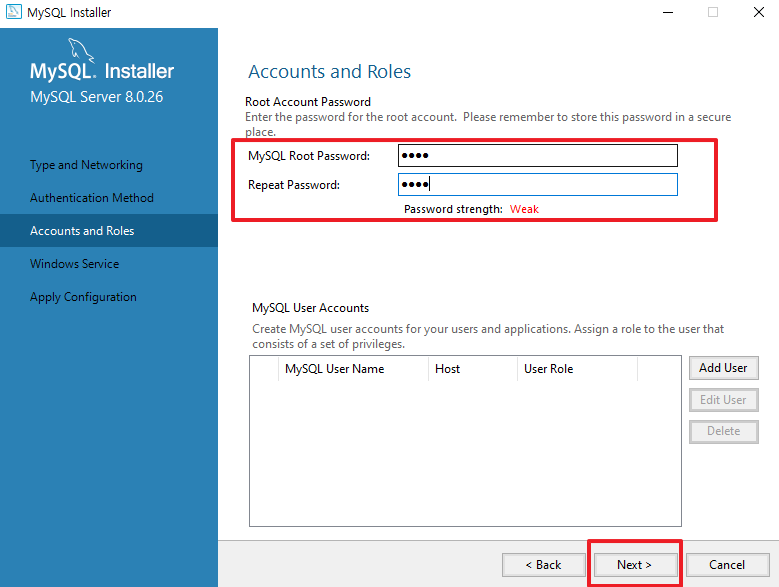
MySQL Root Password 설정(★기억) > Repeat Password 확인 > Next
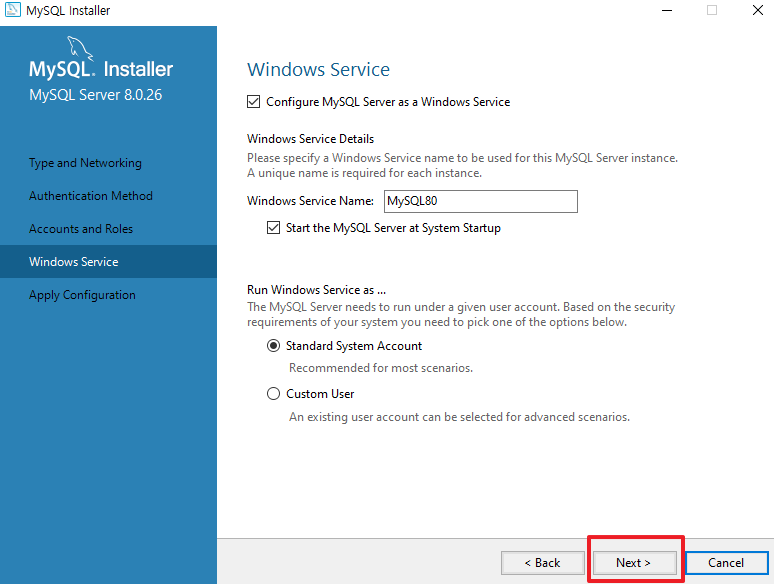
Next

Execute

Finish
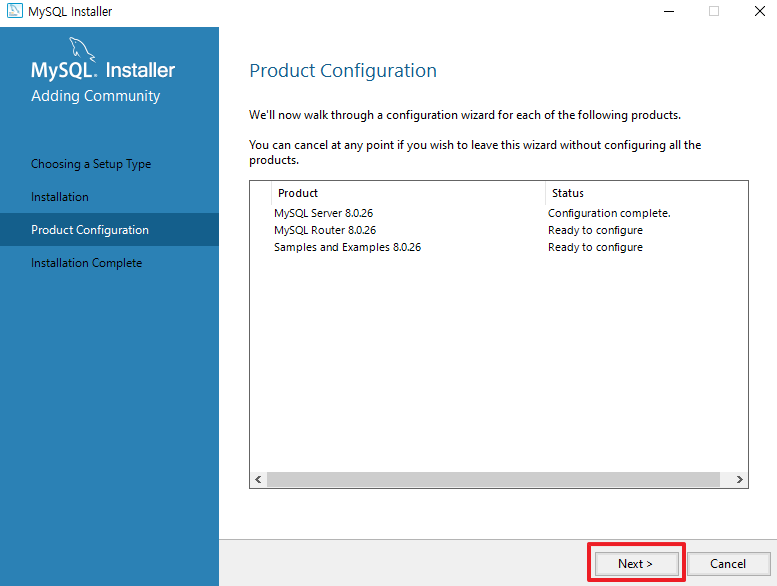
Next
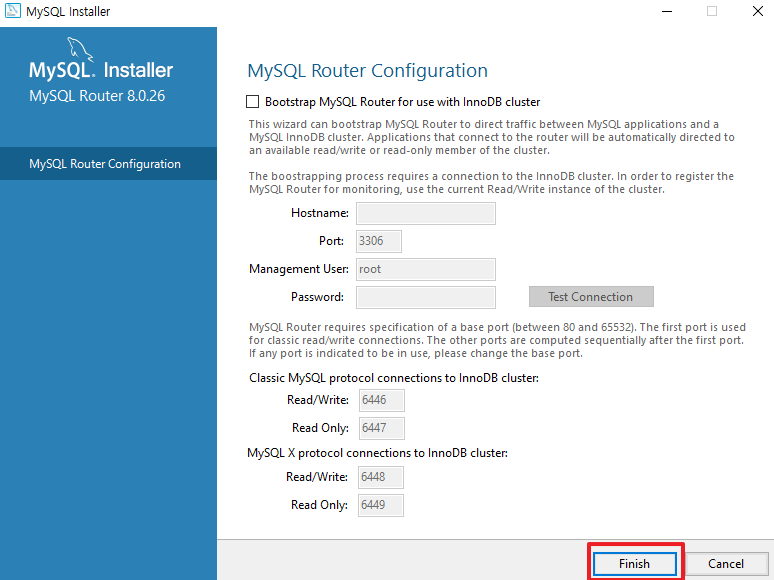
Finish
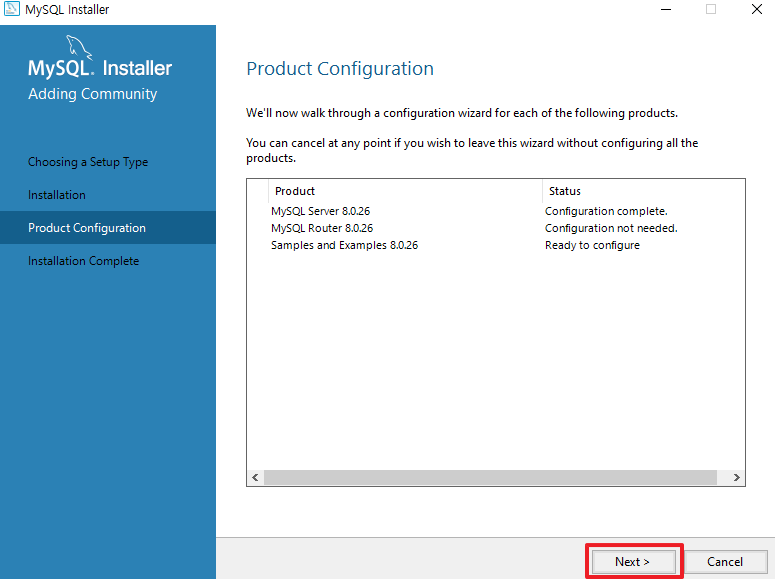
Next
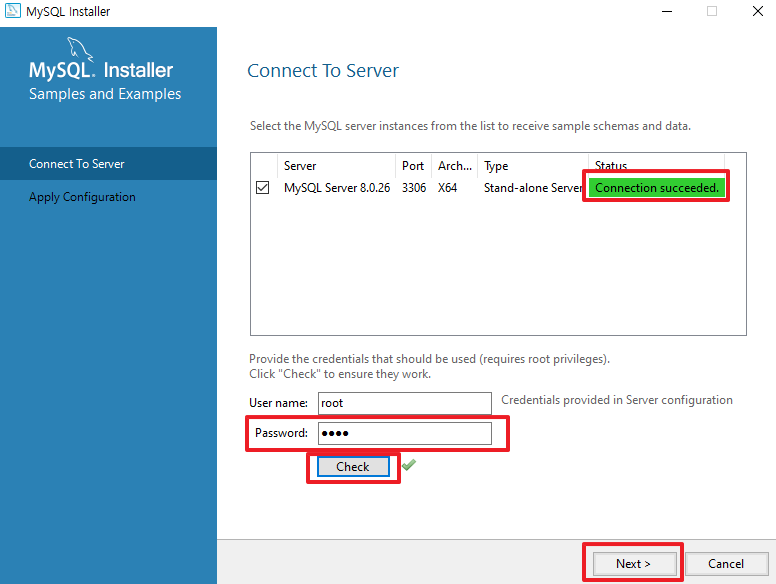
Password : ★기억했던 Root Password > Check > Status : Connection succeeded. > Next
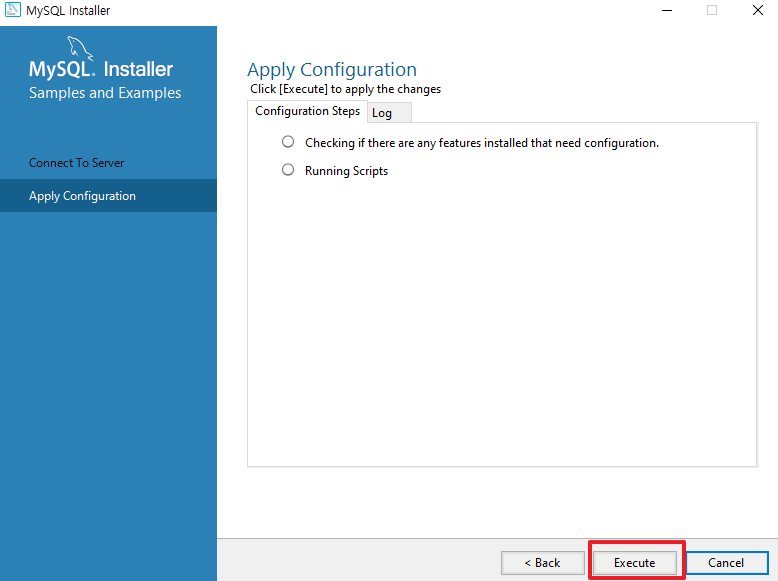
Execute
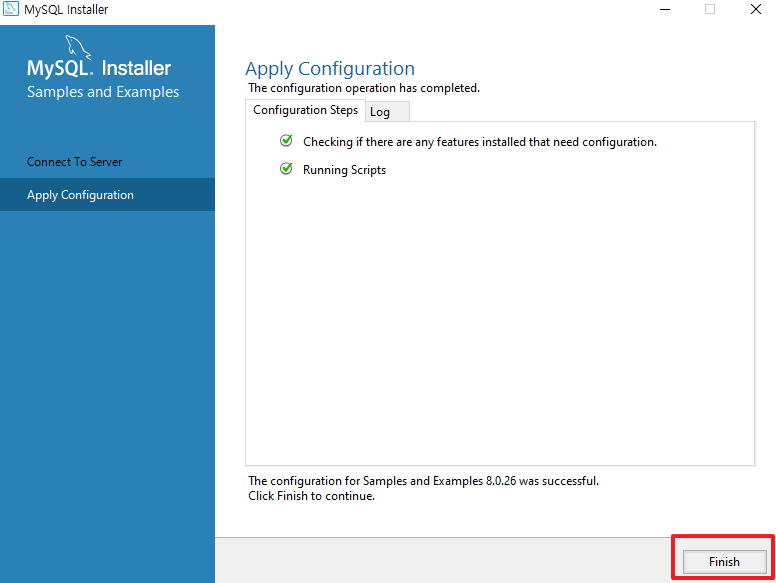
Finish
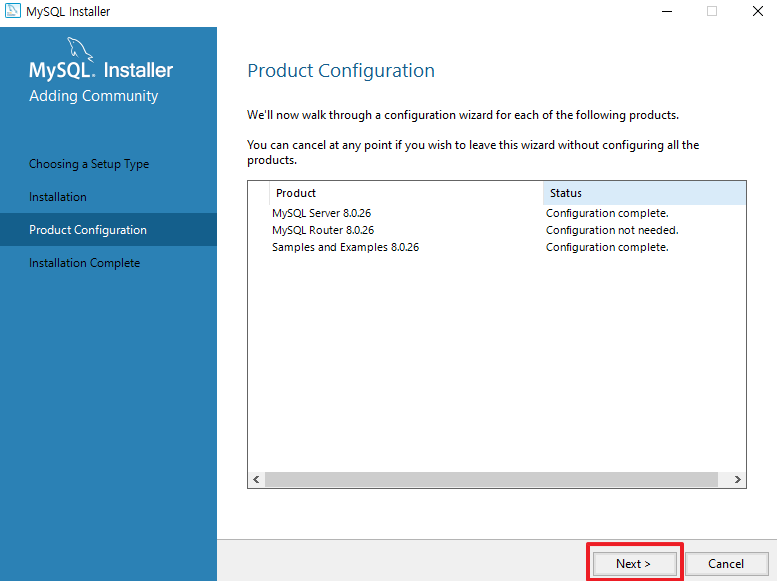
Next
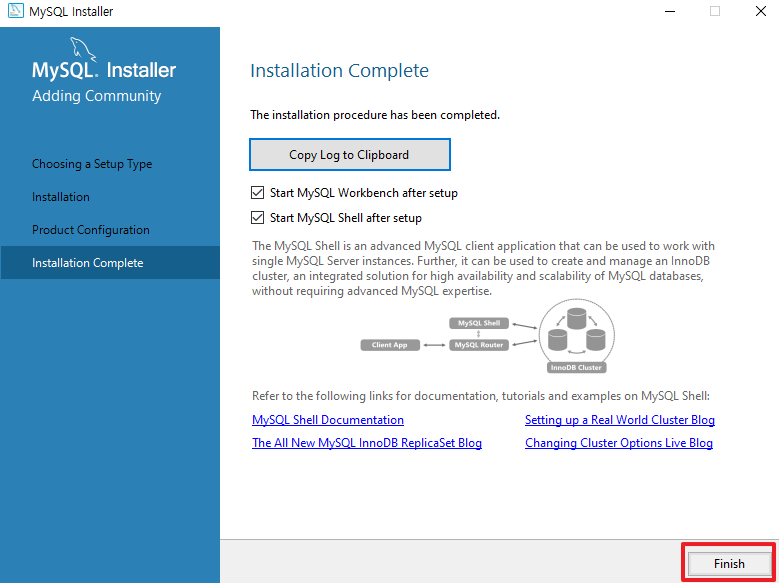
Finish > Shell 과 Workbench 실행
=> MySQL 설치 성공
'IT > MySQL' 카테고리의 다른 글
| [MySQL] Error Code 1175 (0) | 2021.10.21 |
|---|---|
| [MySQL] MySQL 환경 변수 설정 (0) | 2021.10.14 |

